
McNeese Logo

McNEESE STATE UNIVERSITY
Xitracs™ Portal Instructions

Xitracs™ Portal Instructions

Login Information

General Instructions

  • Do not delete any assessments.
  • Do not delete any previous data or analysis. Add new information for each academic year in a new row or column of a table, or underneath previous information using the new academic year as a heading.
  • Analyses must reflect the corresponding data and include:
    • Trends observed in the data
    • Your interpretation of those trends
    • Actions to be taken in the upcoming year
  • If the benchmark has been consistently met, consider revising the benchmark or modifying the assessment.
  • If the benchmark was not met, you must include a plan for improvement.
  • You must “close the loop” and demonstrate continuous improvement. Avoid phrases like “maintain” or “continue to monitor.”
  • Do not copy and paste analyses from previous years or from other assessments.
  • Academic Department Heads: When analyzing enrollment, completion, and retention data, examine all cohorts/academic years to identify trends. Base your continuous improvement plan on this analysis.
  • Pay attention to any comments provided by IRE while inputting information.

Updating a Departmental/Support Unit Assessment Report

  1. Under My Open Activities, click View to access assigned plans.
  2. Select the appropriate plan to expand and view the performance objectives.
  3. Click Open next to a performance objective to display its fields. Fields requiring updates will show Incomplete.
  4. To edit a field:
    • Click to expand it, then select Edit on the right.
    • For tables: Right-click the last row, select Row > Insert row after to add a new year.
  5. After editing, check Mark as complete in the lower-left corner, then click Save.
  6. To upload a file, click File + next to Edit, choose your file, then click Save.
  7. To add a new assessment:
    • Expand the first Assessment and Benchmark field, then click Add New.
    • This creates new Assessment and Benchmark, Data, and Analysis of Data and Plan for Continuous Improvement fields. Complete and mark as complete.
  8. If the Assessment and Benchmark field is locked and needs revision, email showard7@mcneese.edu.
  9. Once all fields are updated, click Close at the top to return to the list of performance objectives. Repeat as needed.

Updating an Academic Program Assessment Report

  1. Under My Open Activities, click View to access your assigned programs.
    • Some assignments may be view-only for peer review and commenting.
  2. Select the program you need to update.
    • Click Open under Current Cycle (before June 1) or Prior Cycle (after May 31).
    • Fields needing updates will show Incomplete.
  3. If the Assessment and Benchmark, Data, or Analysis of Results and Plan for Continuous Improvement fields are locked, email showard7@mcneese.edu.
  4. In the Example of Program Improvement and Program Highlights from the Reporting Year fields, add current-year information beneath prior content. Do not delete past entries.
  5. To edit a field:
    • Click to expand it, then select Edit on the right.
    • For tables: Right-click the last row, select Row > Insert row after.
  6. After editing, check the Complete box in the lower-right corner, then click Save.
  7. To upload a file, click File + next to Edit, choose your file, then click Save.
  8. To add a new assessment:
    • Expand the first Assessment and Benchmark field (Field #7), then click Add New.
    • This will create new Assessment and Benchmark, Data, or Analysis of Results and Plan for Continuous Improvement fields. Complete and mark as complete.
  9. After completing updates, click Close at the top and then Logout.

Office of Campus Compliance & Civility | Sexual Misconduct Policy | EOE/AA/ADA | Web Disclaimer | Policy Statements | University Status & Emergency Preparedness | A member of the University of Louisiana System | Consumer Disclosure Information | Title IX | Web Accessibility Statement

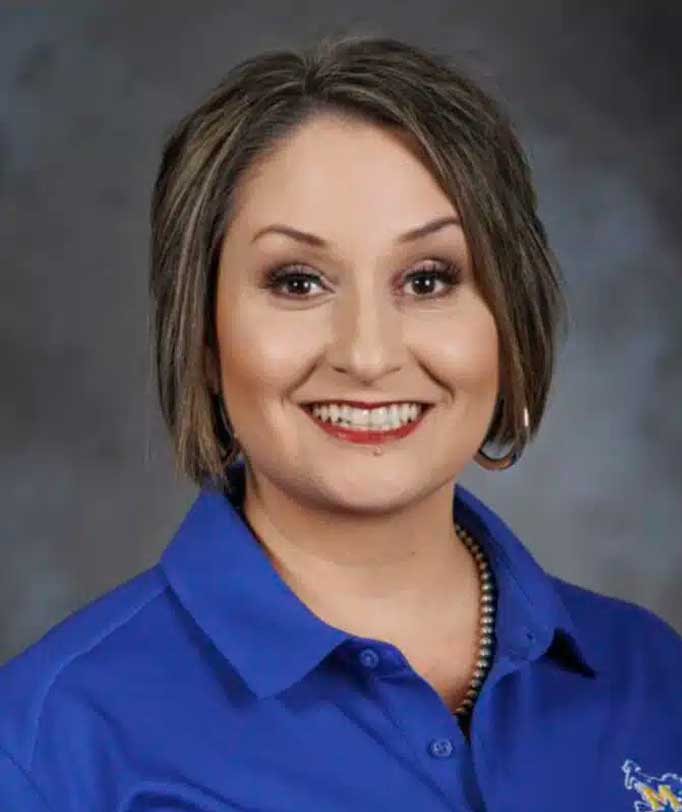
Ashley Bass

I am a McNeese graduate with a bachelor's degree in Family and Consumer Science and a concentration in Child and Family Studies. As a student, I competed on the rodeo team and served on the SGA board. I earned my master’s degree in 2022 from the University of South Dakota in Educational Administration and Leadership with a concentration in Adult and Higher Ed. I have over 13 years of experience in adult education and 20 years of educational experience.

My favorite part of being a Freshman Advisor is helping students navigate their new life routine as a college freshman by offering support with in-person office visits or by email to help students meet their goals. I always remind students of my favorite BB King quote – “Education is one thing no one can ever take away from you.”  I believe that supporting students is vital to a student's success.

In my spare time, I raise registered American Brahman cattle, and I enjoy all the "country girl" things like hunting, fishing, growing a garden and cooking.

ADVISOR FOR:
  • College of Liberal Arts (excluding music)
  • Burton College of Education (ELEM and EDPR majors)